Page 1 of 1
Re: Missing Tool Bar in Corel
Posted: 18 Aug 2015, 21:26
by mrs maggot
not so much missing, as hidden, wondering if it is another of the effects of the windows 10 update - although cannot see why it would be, but I have no top menu showing, ie file, edit, view, layout etc, if I hover over them they appear, but they are completely blank ? here is a screen shot
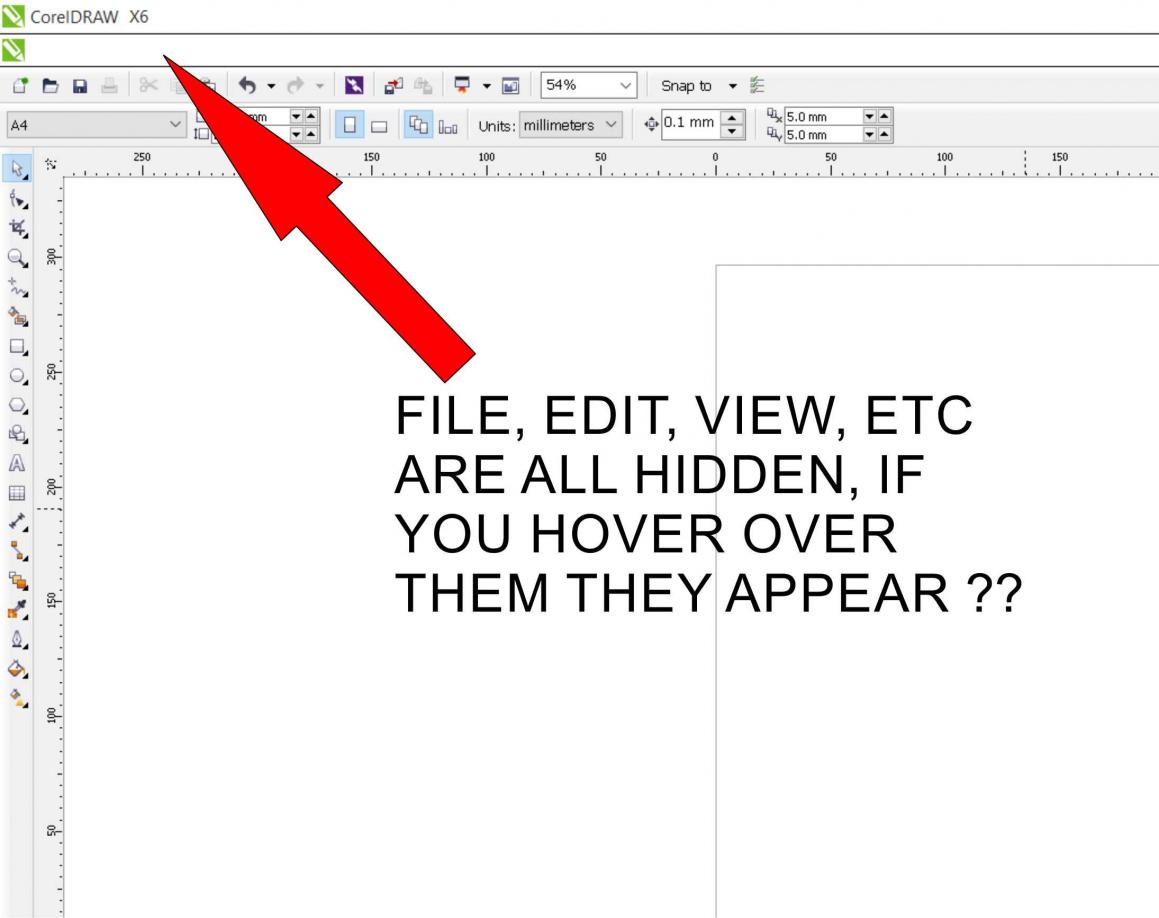
- vB_ID:3659
- COREL PROBLEM.jpg (76.98 KiB) Viewed 8 times
Re: Missing Tool Bar in Corel
Posted: 19 Aug 2015, 15:48
by Earl Smith
Ive just had a play with my Corel X4. Im still using Windows7 though.
Try right clicking on an empty space on another tool bar. A menu comes up with the available tool bars. Maybe the answer lays there.
Re: Missing Tool Bar in Corel
Posted: 19 Aug 2015, 21:30
by mrs maggot
Hi Earl, i thought that too but everything is ticked
Re: Missing Tool Bar in Corel
Posted: 20 Aug 2015, 08:49
by mrs maggot
aaah,now i see, it might actually be an issue running windows 10 as someone on the corel forum has put
I'm running X4 under windows 10 now. Only seems to be 1 minor problem in that the text on the menu bar is not visible until the mouse points to it. Other than that, all is good.
so i guess i either taken 10 off the machine, which i have to say i was getting use to, or wait for them to sort out a solution for it