Page 1 of 1
Re: Problems with coaster printing
Posted: 24 Jun 2017, 20:34
by Ljb596
Hi all,
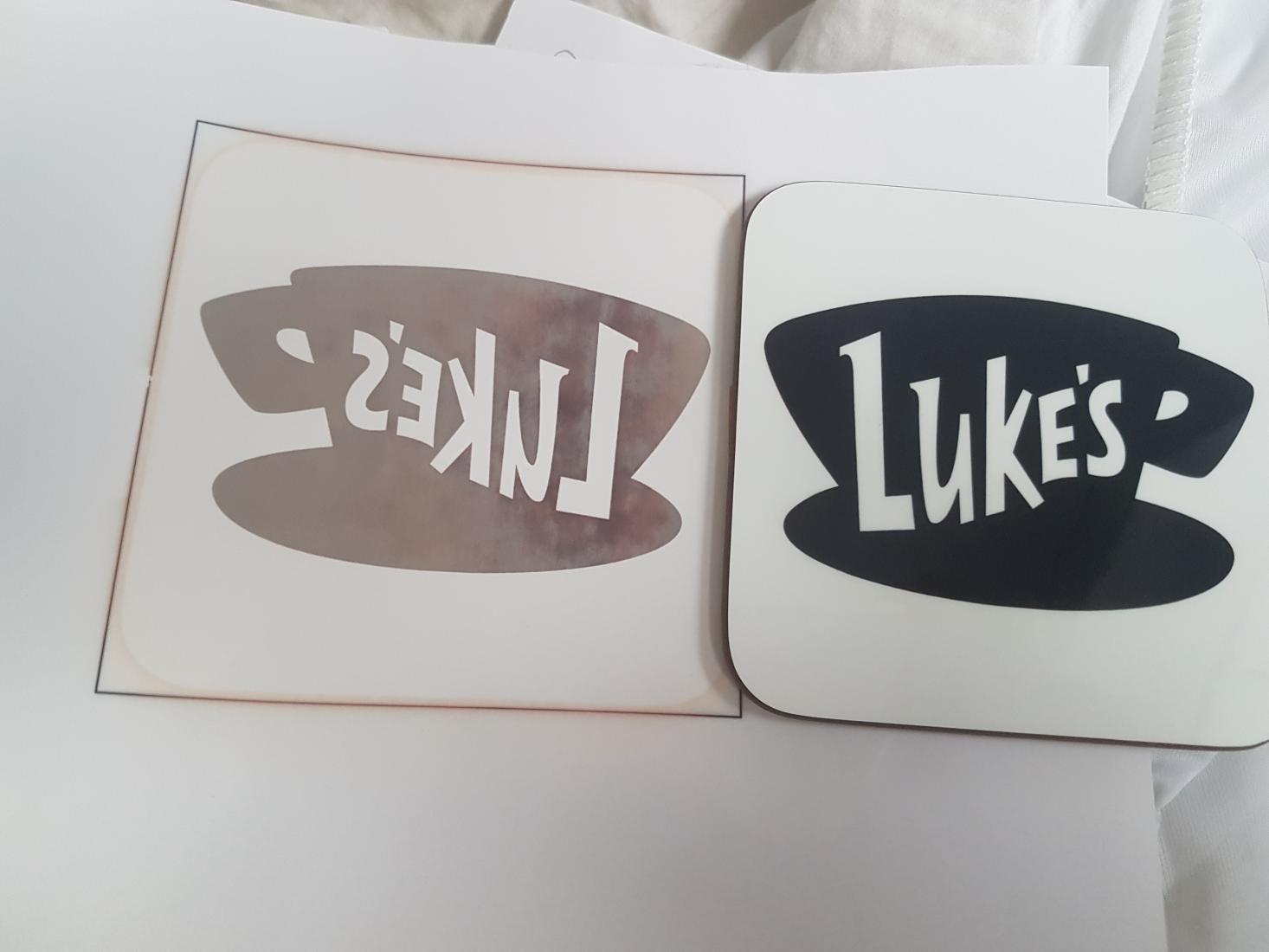
I've been printing coasters for a few months and for the most part it has been relatively easy but this evening I've been printing a relatively ink-heavy logo and the results have been odd.
It seems that half of the logo isn't transferring nearly as well. See attached photo.
- vB_ID:4671
- lukes.jpg (72.61 KiB) Viewed 418 times
I hope everyone can see that ok - let me know if not, I'm still learning how to use the forum

It seems like the area around the L hasn't transferred as well. As you can see on the coaster it isn't very obvious but if you look closely in certain lights it looks blue instead of black.
Are there any coaster experts that can help me out?
Thanks!
Re: Problems with coaster printing
Posted: 24 Jun 2017, 21:29
by Ian66
I had a similar problem with a company logo that had a solid black background. From memory I think I upped the temperature a little and also increased pressure.
Hope that helps.
Re: Problems with coaster printing
Posted: 25 Jun 2017, 12:00
by Ljb596
Ian66;123872 wrote:I had a similar problem with a company logo that had a solid black background. From memory I think I upped the temperature a little and also increased pressure.
Hope that helps.
Hi Ian,
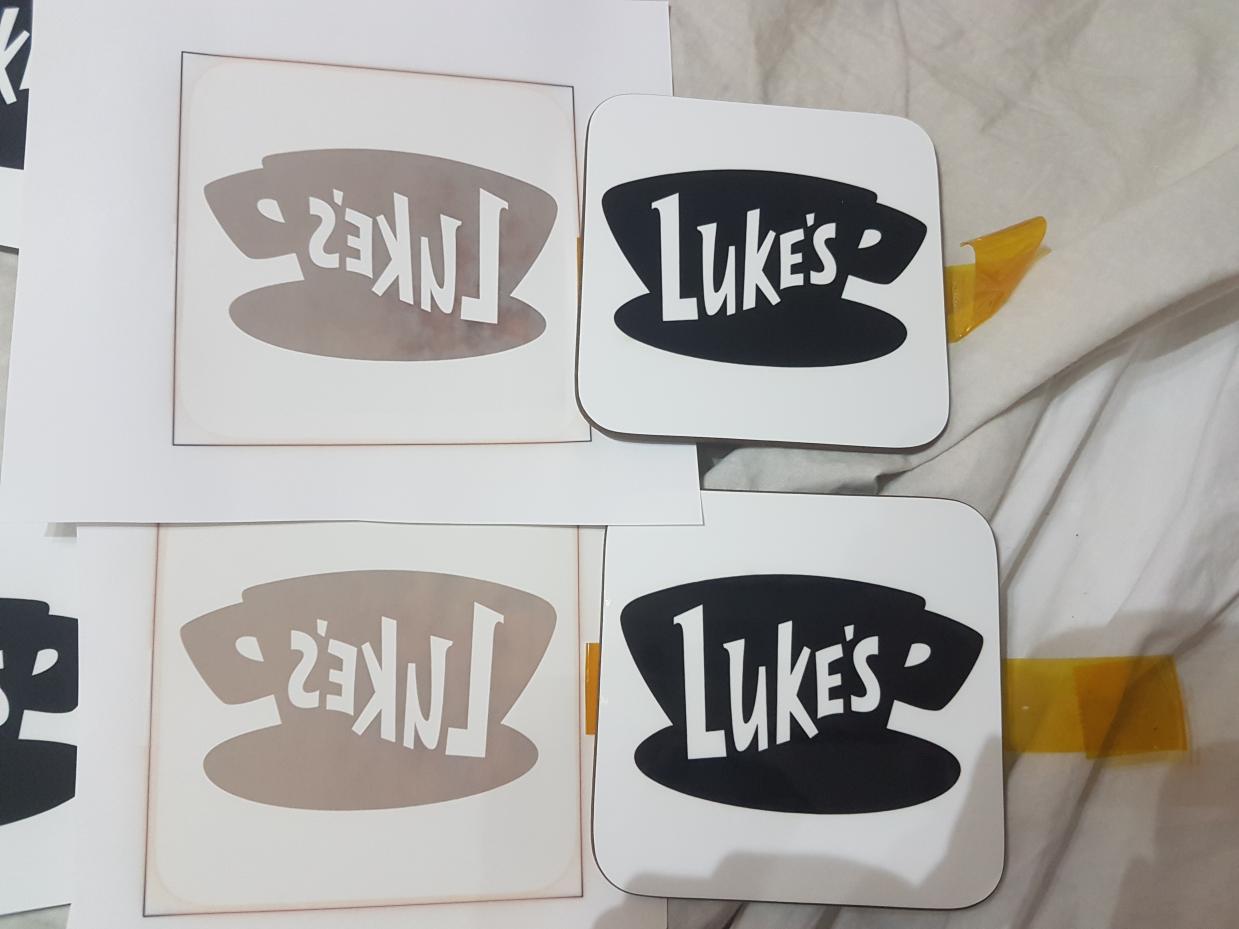
Thanks for that! I thought it wouldn't be heat related as half was coming out fine but I increased the heat from 200 to 210 and put and added an extra piece of copy paper under the coaster to increase the pressure and it looks a lot better!
There's still a little bit of a pattern on one side but it's much better so happy with that!
Thanks again!
- vB_ID:4673
- lukes 2.jpg (76.17 KiB) Viewed 418 times
Re: Problems with coaster printing
Posted: 25 Jun 2017, 12:17
by Justin
What ink/paper are you using? Block colours, blacks etc. are notoriously troublesome, getting the right time and temp is tricky but usually coasters aren't as bad as say, mugs!
Black does change colour when overheated so time/tempo could be the issue.
Re: Problems with coaster printing
Posted: 26 Jun 2017, 20:50
by Ljb596
Hi Justin,
I use Sawgrass ink and currently using Dino A4 paper. Not massively attached to it though. I just buy it because I buy the dino mug pre cut sheets so get it all from the same place. Would something else be better do you think?
Yeah I did the same coaster last week and I'm sure I didn't have an issue!
Thanks
Re: Problems with coaster printing
Posted: 26 Jun 2017, 21:17
by Justin
I'd suggest trying Trupix paper.
Re: Problems with coaster printing
Posted: 26 Jun 2017, 21:43
by Ljb596
I've wanted to try that for a while but whenever I order from somewhere that sells it, it's out of stock!
I did see if somewhere the other day though so I'll give it a go!
Thank you
Re: Problems with coaster printing
Posted: 26 Jun 2017, 21:53
by Justin
PM me your address. I may have some here I can send you. Pretty sure I have some A4 left......
Re: Problems with coaster printing
Posted: 26 Jun 2017, 21:58
by Ljb596
Thanks so much!
I've pm'd you